


 |
| Advertisement |
M.2 SSD Enclosure Kit
Transcend's CM42 and CM80 are enclosures in different form factors designed specifically for M.2 SATA SSDs. By following the step-by-step installation guide, you can transform an M.2 SATA SSD into a portable USB 3.1 Gen 1 external drive, maximizing utilization.
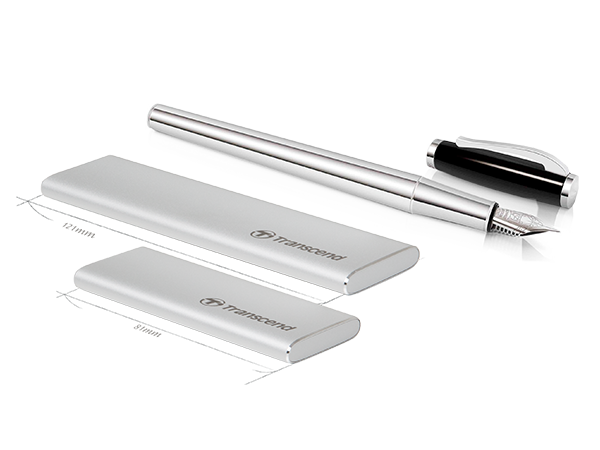
Sleek, pocketable design
Transcend's M.2 SSD enclosure features a lightweight aluminum construction, making it both portable and durable while you are on the move. A LED indicator lets you know when the drive is in use.
USB Type-A and Type-C supported
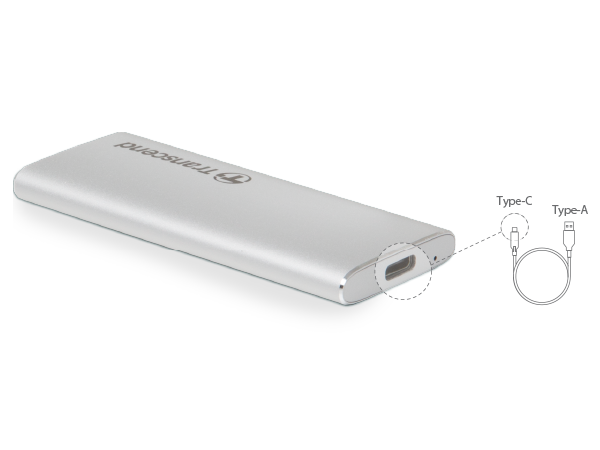
To accommodate devices with different USB ports, the M.2 SSD enclosure is engineered to convert to a USB Type-C port, offering flexibility of being used on different platforms with either USB Type-A or Type-C port.
*Note: A USB Type-C to Type-A cable is included. Users will need to provide their own adapter or compatible cable to attach the M.2 SSD enclosure to USB Type-C devices.
Enhanced performance with UASP
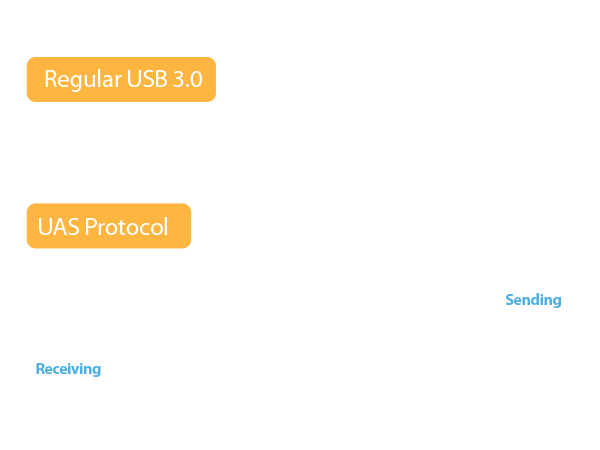
The M.2 SSD enclosure uses the USB 3.1 Gen 1 interface incorporated with UASP (USB Attached SCSI Protocol) that makes transfer speeds faster than with a sole USB 3.0 interface when used with a UASP-enabled host computer.
Quick and easy installation
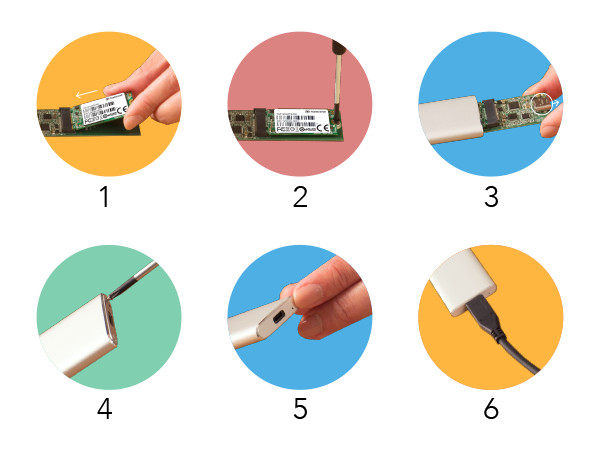
- Insert an M.2 SSD into the connector on the adapter.
- Screw the M.2 SSD onto the adapter.
- Place the M.2 SSD assembly into the enclosure with the USB Type-C connector facing outward.
- Screw the metal plate to the front of the enclosure.
- Attach the aluminum sticker to the front panel. Do not obstruct the LED hole.
- Connect the M.2 SSD enclosure to your computer.
Note: M.2 SSD sold separately. Learn more.
Two form factors
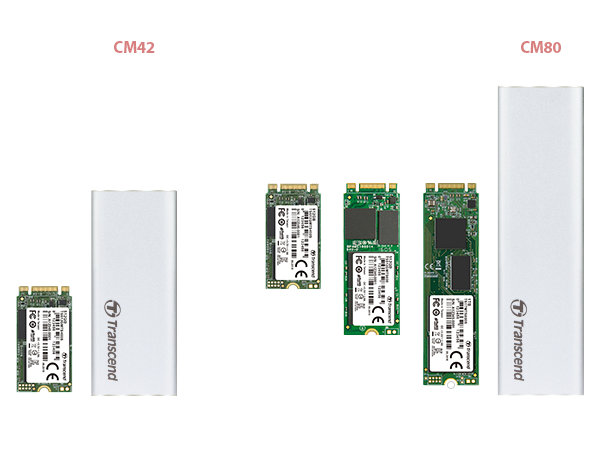
To be compatible with the most common M.2 SATA solid state drives, Transcend offers two enclosures in different form factors for multiple drive heights. The CM42 enclosure is for type 2242 only, whereas the CM80 can mount type 2242, 2260, and 2280.
All-inclusive package
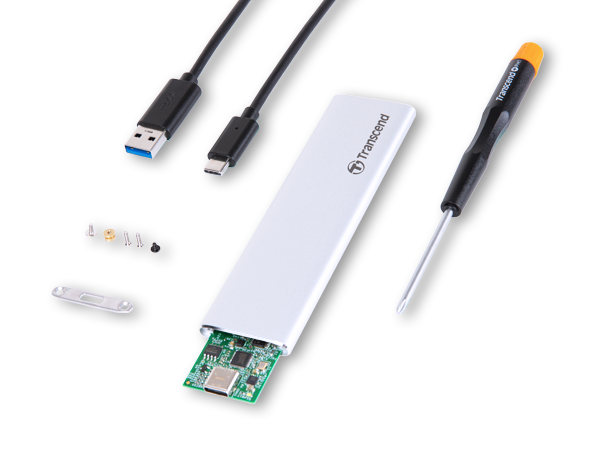
Inside you'll find all the tools you need, including an M.2 SSD enclosure (CM42 or CM80), an M.2 adapter, a Type-C to Type-A USB cable (45cm), a metal plate, an aluminum sticker, a screwdriver, and mounting screws.
For M.2 SATA SSDs
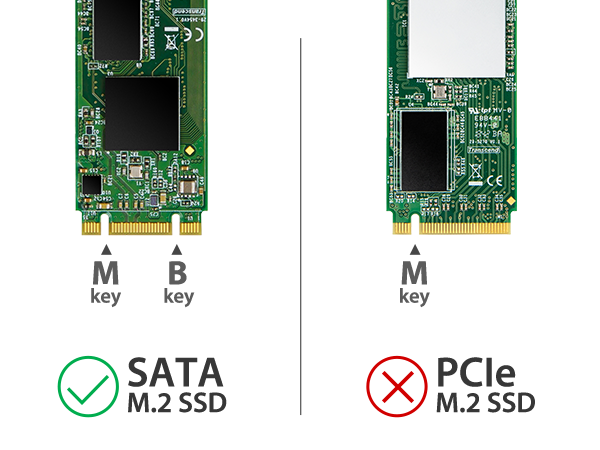
Transcend’s M.2 SSD enclosure kit is designed specifically to accommodate M.2 SATA SSDs with a B+M key. It does not support PCIe M.2 SSDs.
Match it up
Find the right model that best suits your needs.
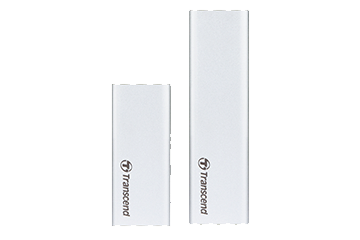
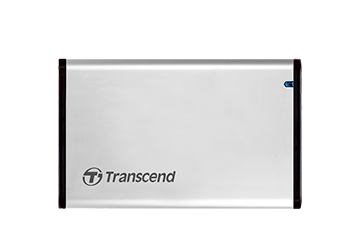
(TS0GSJ25CK3)
(TS-CM42S/TS-CM80S)
(TS0GSJ25S3)
Specifications
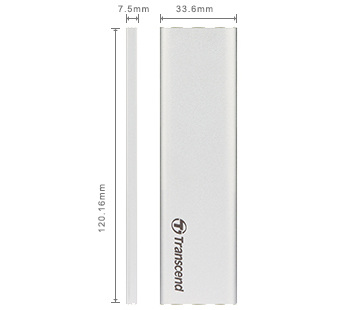
Appearance | |
| Dimensions | CM42: 81.41 mm x 33.6 mm x 7.5 mm (3.21" x 1.32" x 0.30") CM80: 120.16 mm x 33.6 mm x 7.5 mm (4.73" x 1.32" x 0.30") |
|---|---|
| Weight | CM42: 29 g (1.02 oz) CM80: 41 g (1.45 oz) |
Interface | |
| Connection Interface |
|
| Bus Interface |
|
Operating Environment | |
| Operating Temperature | 0°C (32°F) ~ 70°C (158°F) |
| Storage Temperature | -40°C (-40°F) ~ 85°C (185°F) |
| Operating Voltage |
|
| Note |
|
Warranty | |
| Certificate |
|
| Warranty |
|
| Warranty Policy |
|
Package | |
| Package Contents |
|


0 comments: